Physician Dashboard
Physician Dashboard – Keeping You on Track and on Task
With the Physician Dashboard, you will always know what to do and when follow-ups are due. Secondly, the Dashboard operates as a conduit to all major ABELMed functions such as Investigations, Encounters, Appointments, the Patient Manager and Tasks. This significantly reduces the steps necessary to complete daily routines. Additional insight can be achieved from the synergy associated with having multiple information types systematically located on one screen. In summary, the Dashboard helps you become more efficient by simplifying and speeding up the completion of your daily workflows.
Easy Navigation for Improved Workflows
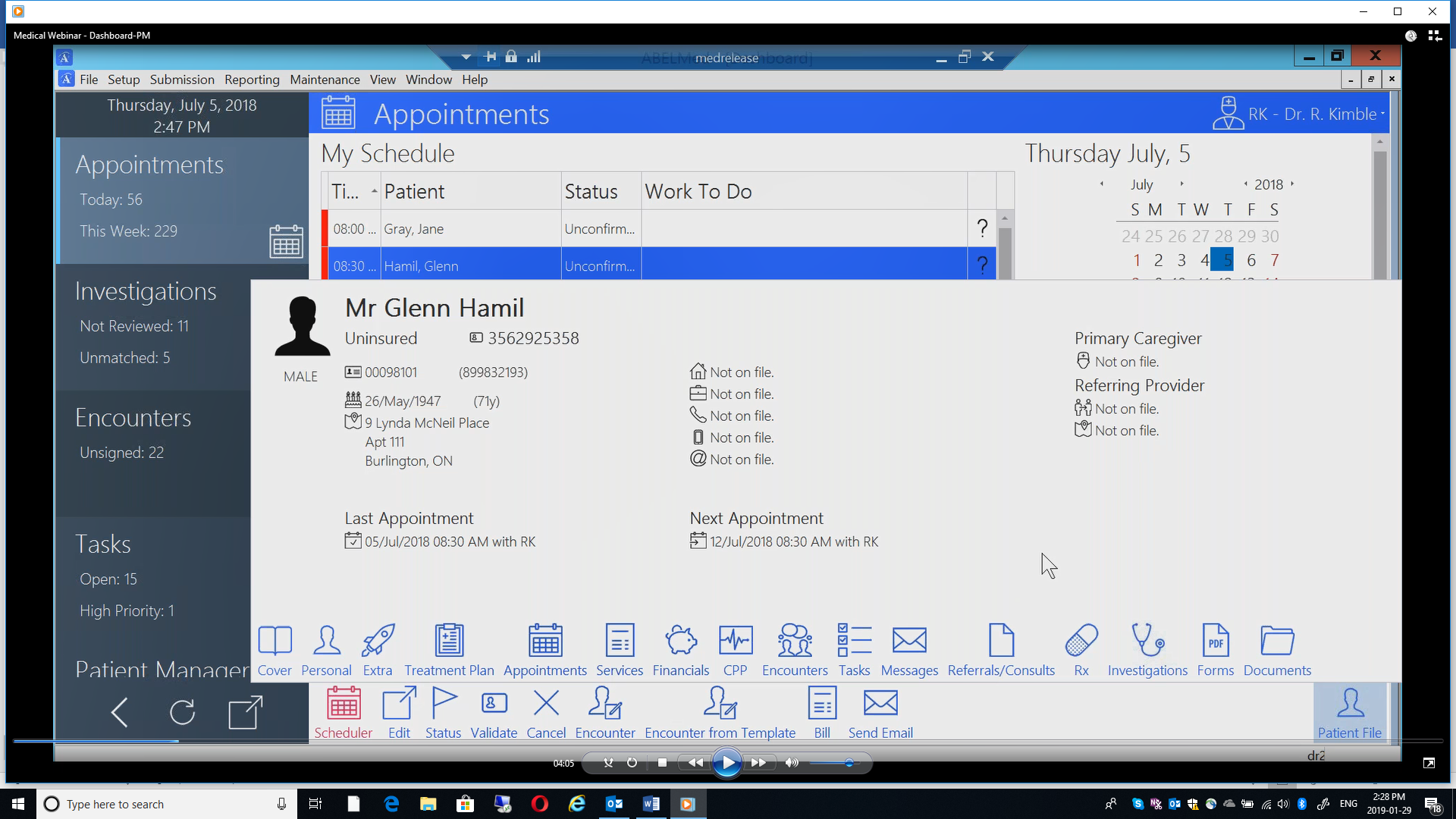
From the left column of the Dashboard, simply click on the function tile you would like to access, and you’re ready to go. And, regardless of the function you have chosen, you always have access to the Patient File button located on the bottom right of the screen that will display a summary of essential patient information. At the bottom are quick access icons that will take you to any information area or function for the patient that you are currently working with. Red and Blue Action Buttons are available to instantly take you to other functions you may need, such as the Appointment Scheduler or signing off a lab result for a specific patient.
In the example on the right, from the Dashboard-Appointments function, a list of the day’s appointments appears. Selecting a specific appointment brings up more details. The Patient file button gives instant access to the patient’s complete chart. Action buttons are also available for quick access to other required functions.
Dashboard – Investigations
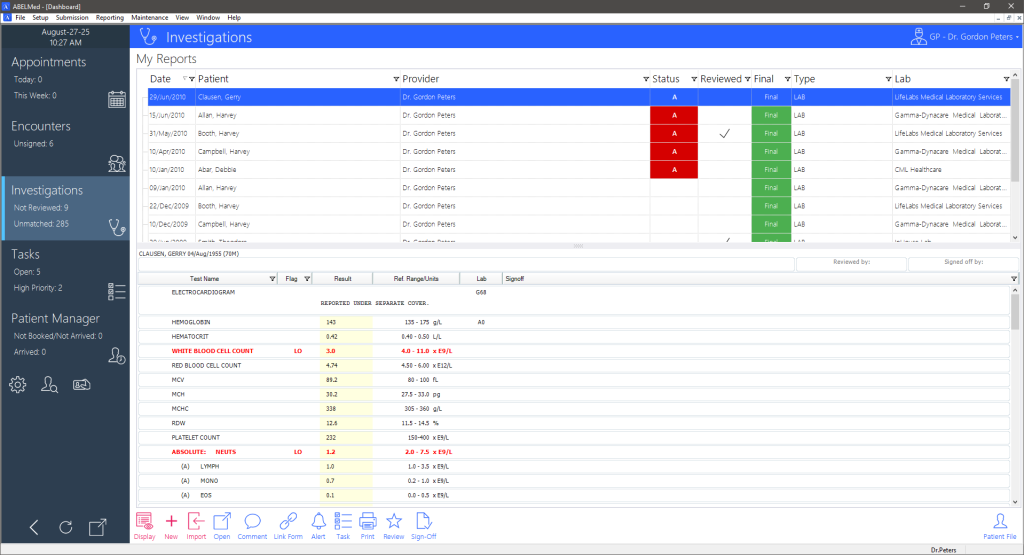
Investigations are another term for lab results received electronically from participating labs or OLIS. Select a lab report to view the entire report on screen or enter in your own inhouse lab results – you can then check off the report as reviewed. Also add notes, comments, and alerts or assign tasks to other team members for follow up. Once you sign off a lab result, it will be removed from the dashboard but remain with the patient file.
Dashboard – Appointments
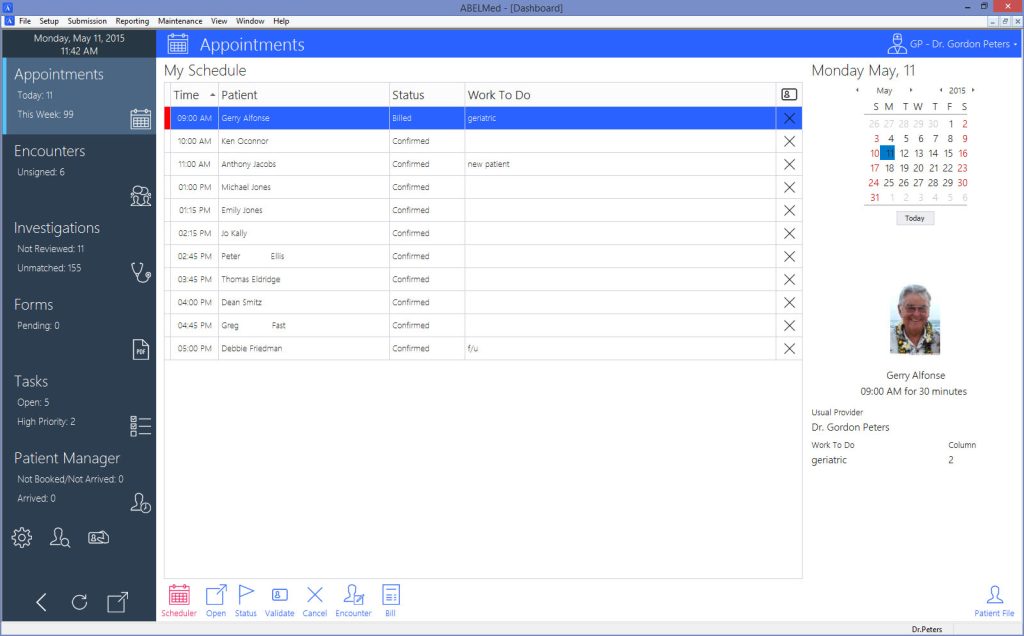
This section lists scheduled patient appointments for the selected day. Highlighting a specific appointment will display the appointment details on the right. You can also indicate the status of each appointment from here such as “confirmed” or “arrived”. The updated status will then appear when viewing appointments from the appointment scheduler. Other functions include creating an encounter, entering a bill or sending an email via ABELMed portal for reminder/confirmation requests.
Dashboard – Daily Tasks
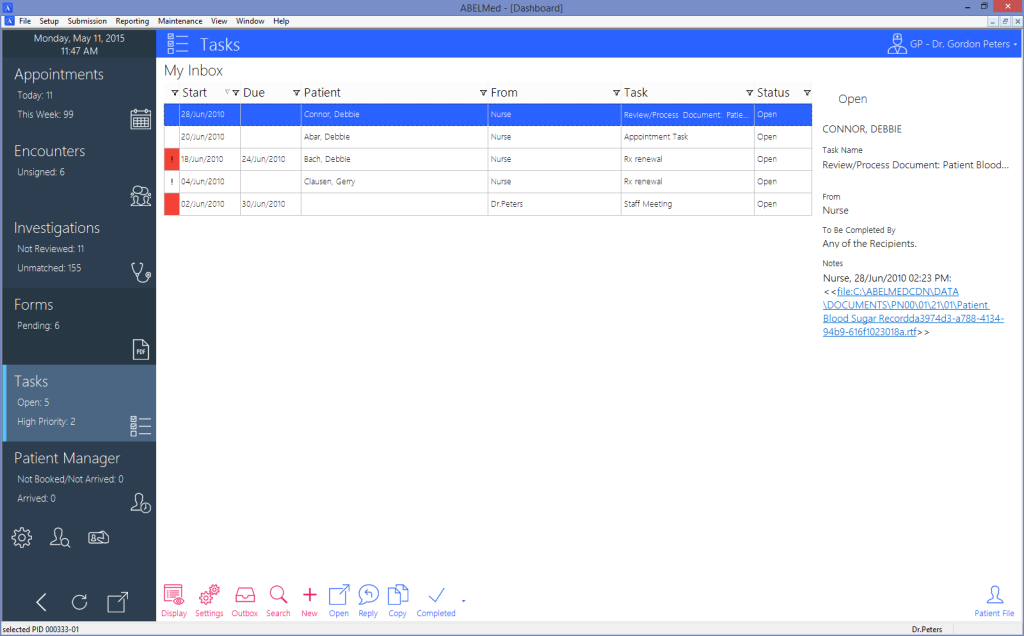
Here you can enter or review patient and administrative-related tasks. Assign and send specific tasks to others as well as respond to tasks sent to you. Use a variety of tools to track the status of the task up to completion. To save time, you can also use templates for commonly required tasks.
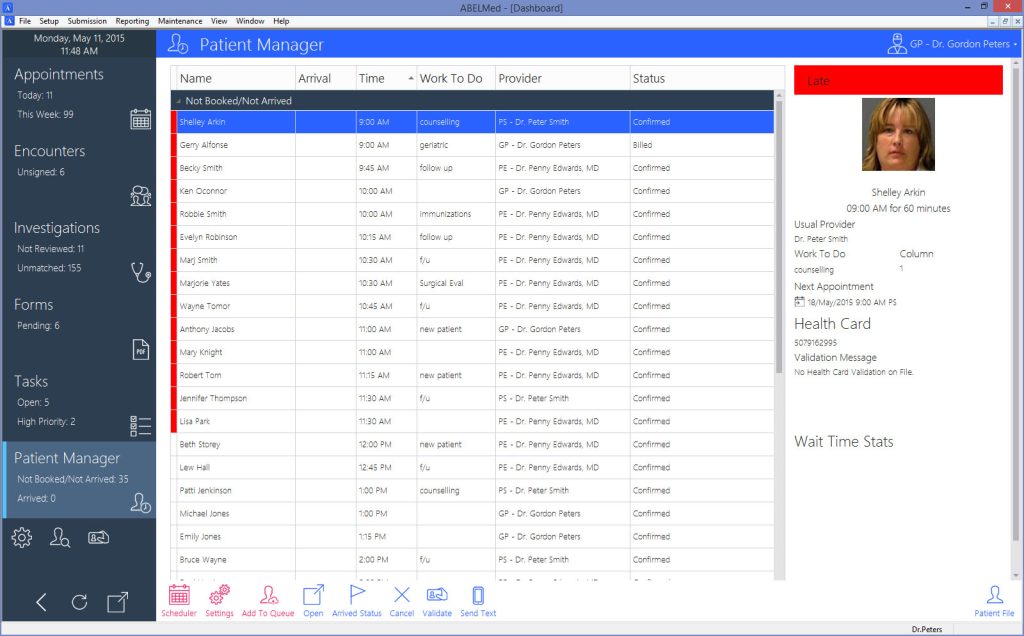
Dashboard – Patient Manager
Quickly track patients as they move through the states of their visit (arrival time, wait time and progression within the office). Improve the patient’s experience with easy access to the information you need to provide optimum care.